Automating Comparable Company Analysis with Selenium and Excel
Objective
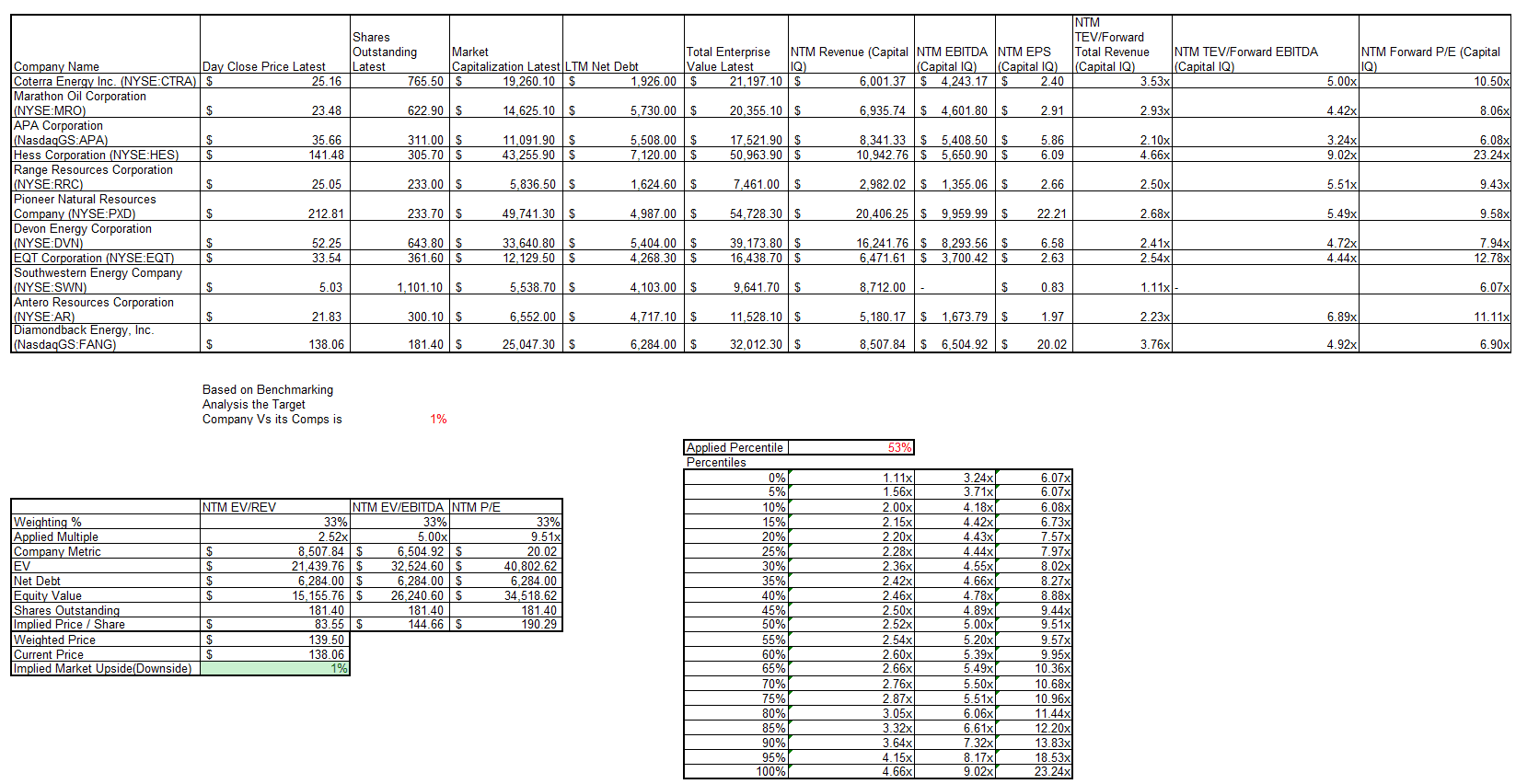
The main idea of this project is to automate Financial Comparable Analysis for any industry (publicly-traded) given a series of names or tickers. The program analyzes and benchmarks various metrics, then uses the weighted average of percentiles to perform an analysis of the target company versus a group of competitors to determine which ones are under/overvalued relative to how they rank.
The program has two main components:
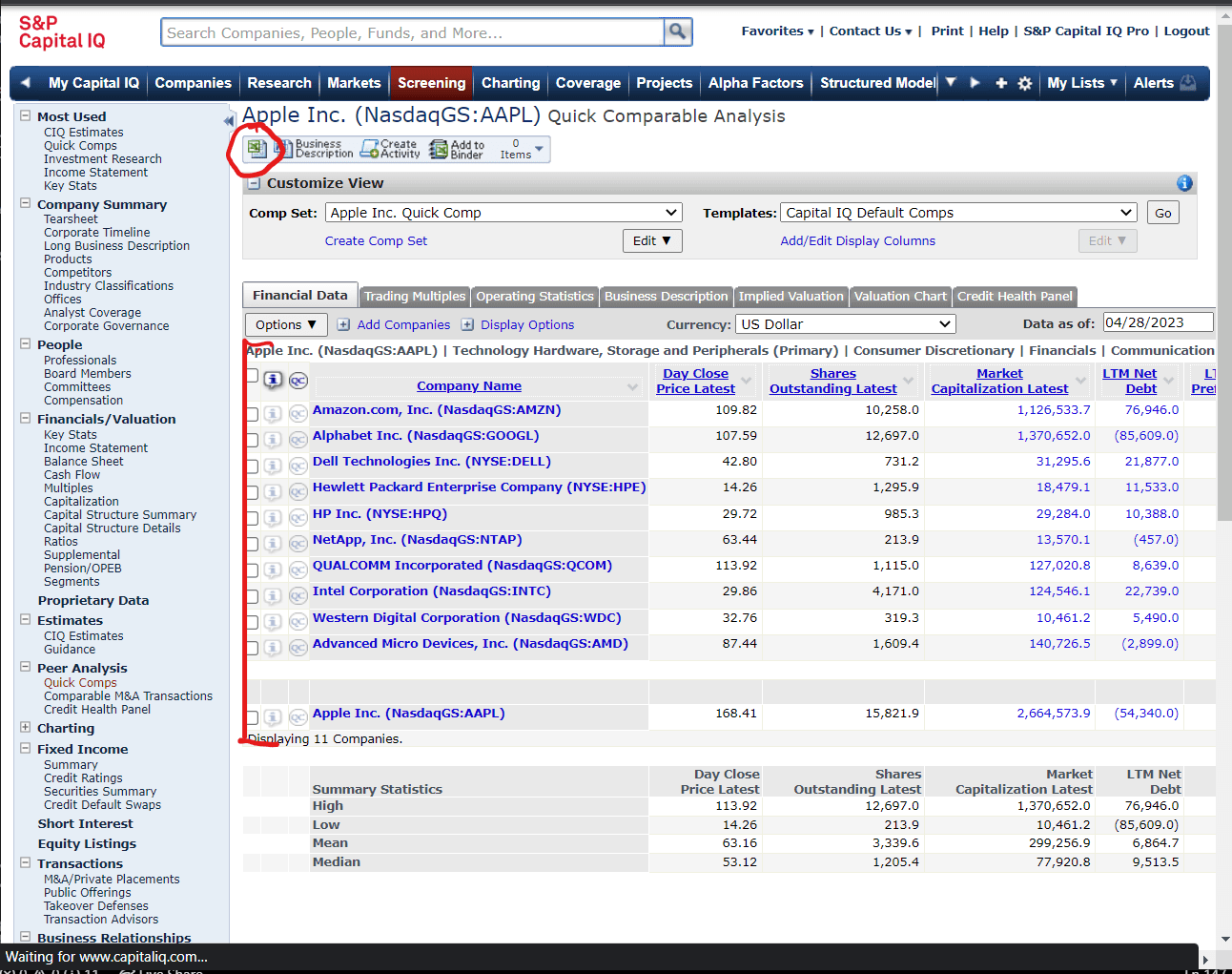
- Using the selenium library to use user credentials to sign into Capital IQ and download comparable company data. This has several advantages - it has analyst comparables, forward estimates for metrics and multiples, and allows for Excel automation which the team wanted to experience given its real-world applications for job settings.
- Using the os, wlwings, and aspose libraries to convert the Excel files into a usable form and then perform a series of analyses on them. The function also injects and calls VBA code that natively takes care of user-friendly formatting.
User Instructions
1. Download required libraries: selenium, aspose, glob, shutil, time, os, xlwings.
2. In Excel settings, enable VBA macros and trust access to the VBA project object model.
   1. File > Options > Trust Center > Trust Center Settings > Macro Settings
3. Fork repository to local computer and ensure folder path is correctly formatted.
4. Run Final_Production.py - enter Babson email, password, list of companies to analyze.
5. Wait for code to run - you will be prompted when it is done. The analysis will be
   added to each Excel sheet.
7. Move these Excel files to another local folder before running code again.
8. Make individual edits to each Excel files as need.

*This is just a starting analysis and not a fully comprehensive company valuation.
**Although this code is tailored to Babson students, after some modifications,
  the code could also work for anyone with Capital IQ credentials.
For additional instructions, please refer to this README (opens in a new tab).
Project Repository Link
To access the project repository (which contains the program code), please click this link (opens in a new tab).